

 
|

|
Customizing the Home Page
In all Apptricity applications, you can temporarily move the panes around on your Home Page to suit your preference.
-
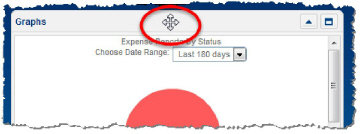
Hover over the title bar of a pane until the 4-way arrow displays.
-
Click and drag the pane to the position on the Home Page where you want to move it.
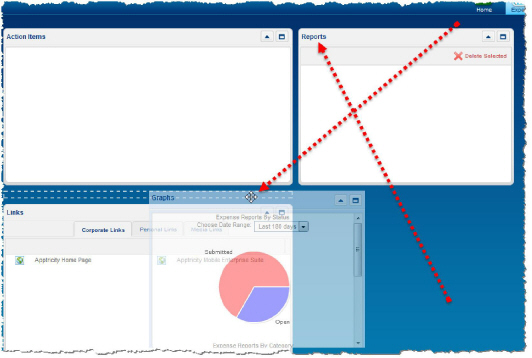
White dashed lines appear and outline where the pane will drop. Other panes adjust accordingly. The movement of the panes is similar to a sliding tile puzzle. When you log out and later log back into the application, your panes return to their default positions.