

 
|

|
Application Panes
The application window is divided into three main areas:
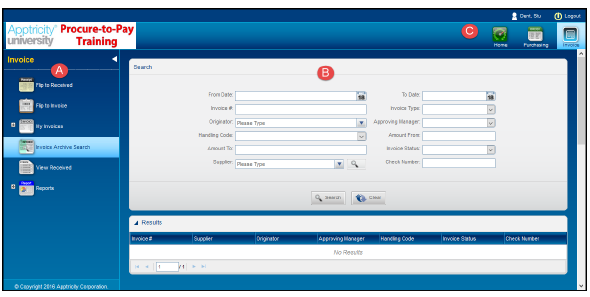
A: Left
The left pane is the product navigation area. You select the task you want to perform by clicking the appropriate icon.
B: Middle
The middle pane is where all product processing occurs. This section is also referred to as the work area.
C: Upper
The upper pane is the application navigation. It includes icons for the Home Page, Apptricity applications your company uses, user menu, and logout. If your company uses more than one Apptricity application, the icon(s) for those applications also display in the upper pane.